Activity Logs
Activity logs show all user activities based on the actions. It includes Creation Date, Action, Description, Initiator and Result.
- Admin users can view activities of all users
- Basic users can view only own activities
Viewing Activity Logs
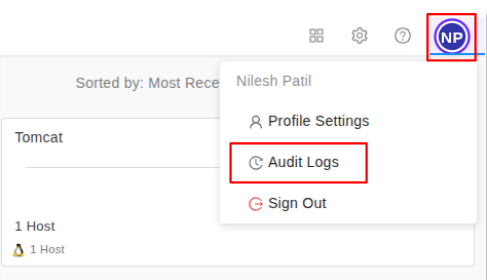
Step 1: Access Activities Page
You can go to Activities page by hovering over user avatar and clicking on Audit logs as shown in image below:
Step 2: View Other Users' Activities (Admin Only)
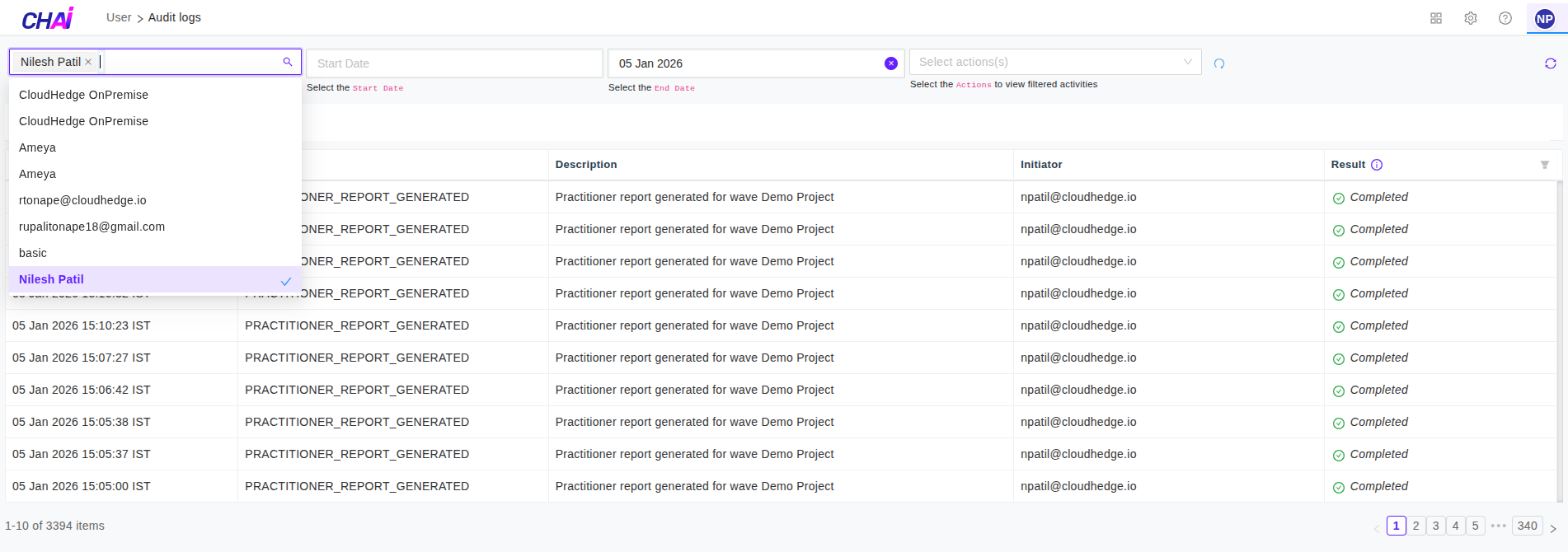
If you are admin user, you can view the activities of other users as well, by selecting user from user list as shown in below image:
Step 3: View Activities in Tabs
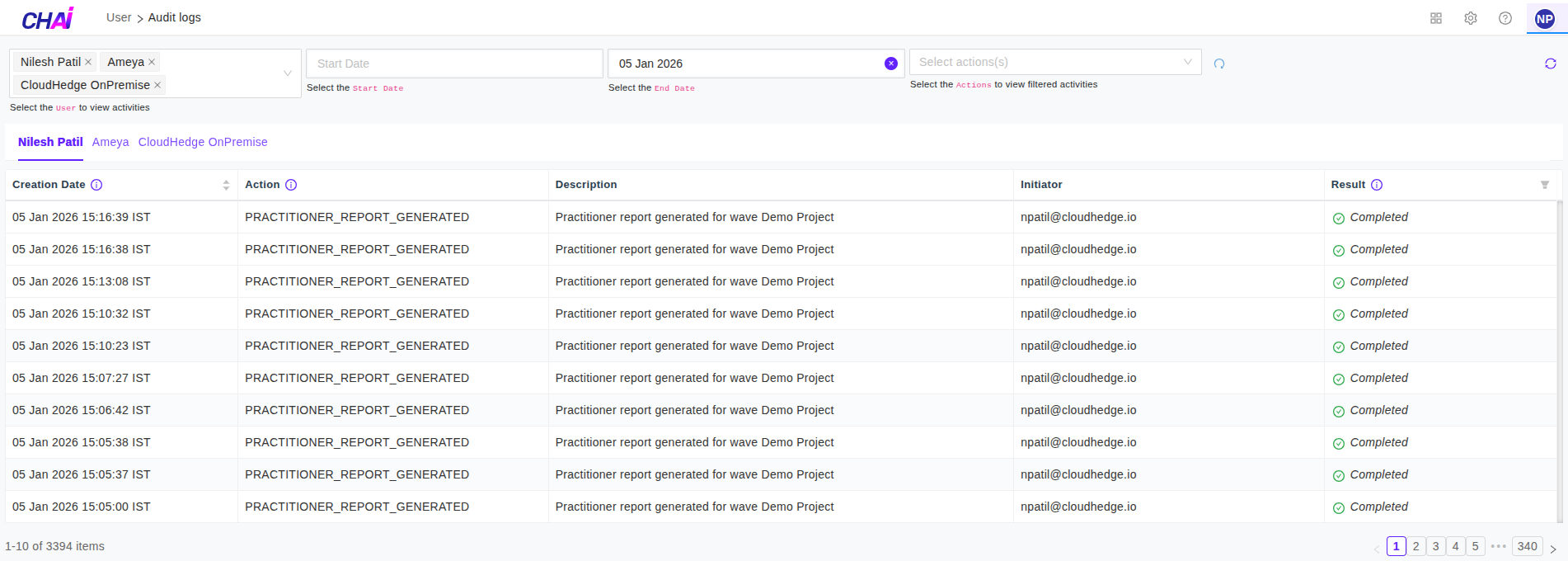
You can view activities of selected users in different tabs as shown in image below:
Step 4: Filter by Date Range
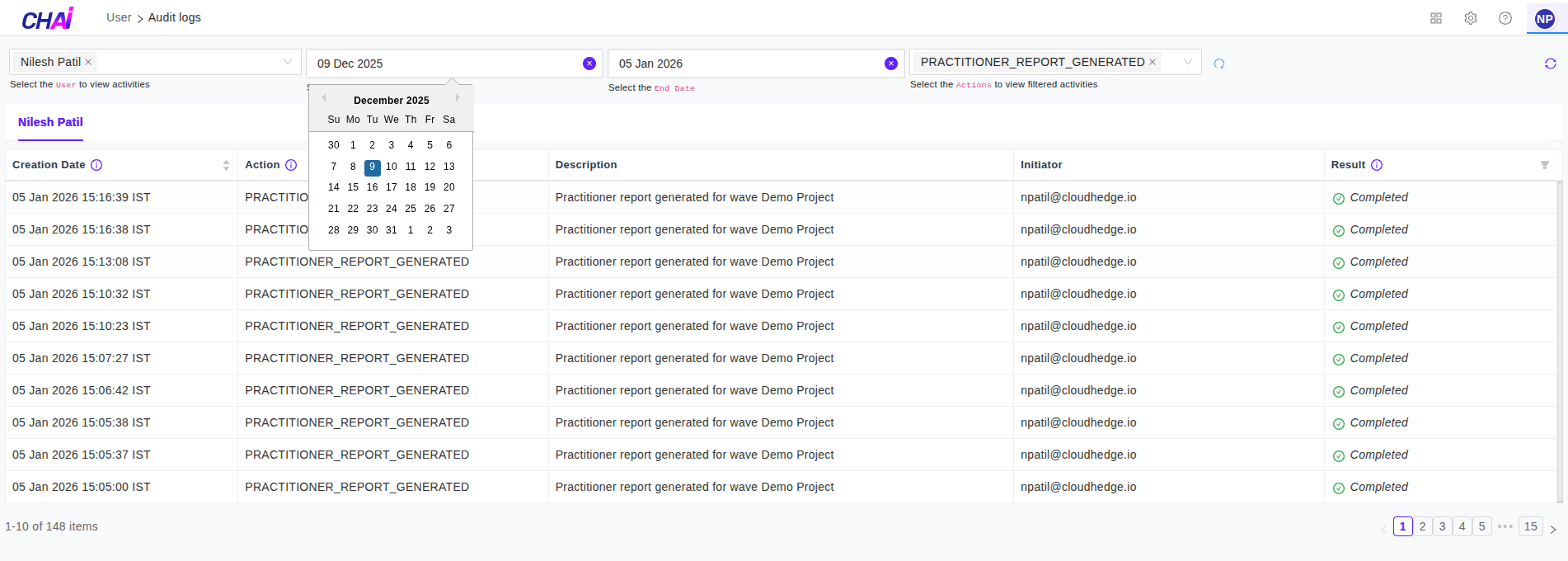
You can view the activities in required Date Range as shown in image below:
Step 5: Sort Activities
You can also sort the activities in ascending and descending order by clicking on the arrows in Creation Date column.
Additional Features
Refresh: - To refresh the activities (keeping all filters as it is) just click on refresh icon at top right corner
Reset: - To reset all filters, click on reset icon placed at right side of end Date dropdown
