Blueprint Version
Create Version
To create a new version of a blueprint:
-
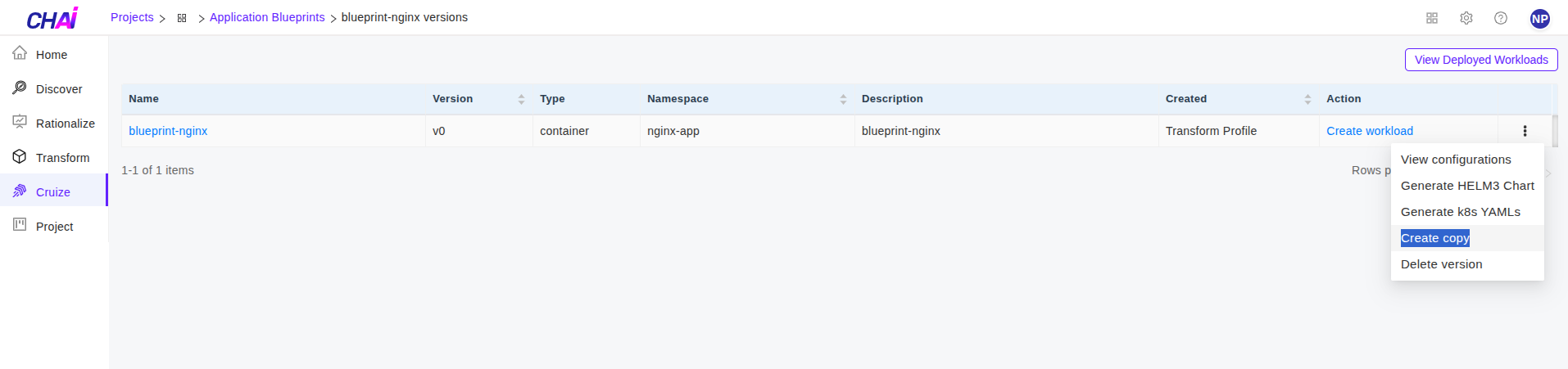
Click on the kebab menu (three-dot menu) of the blueprint version.
-
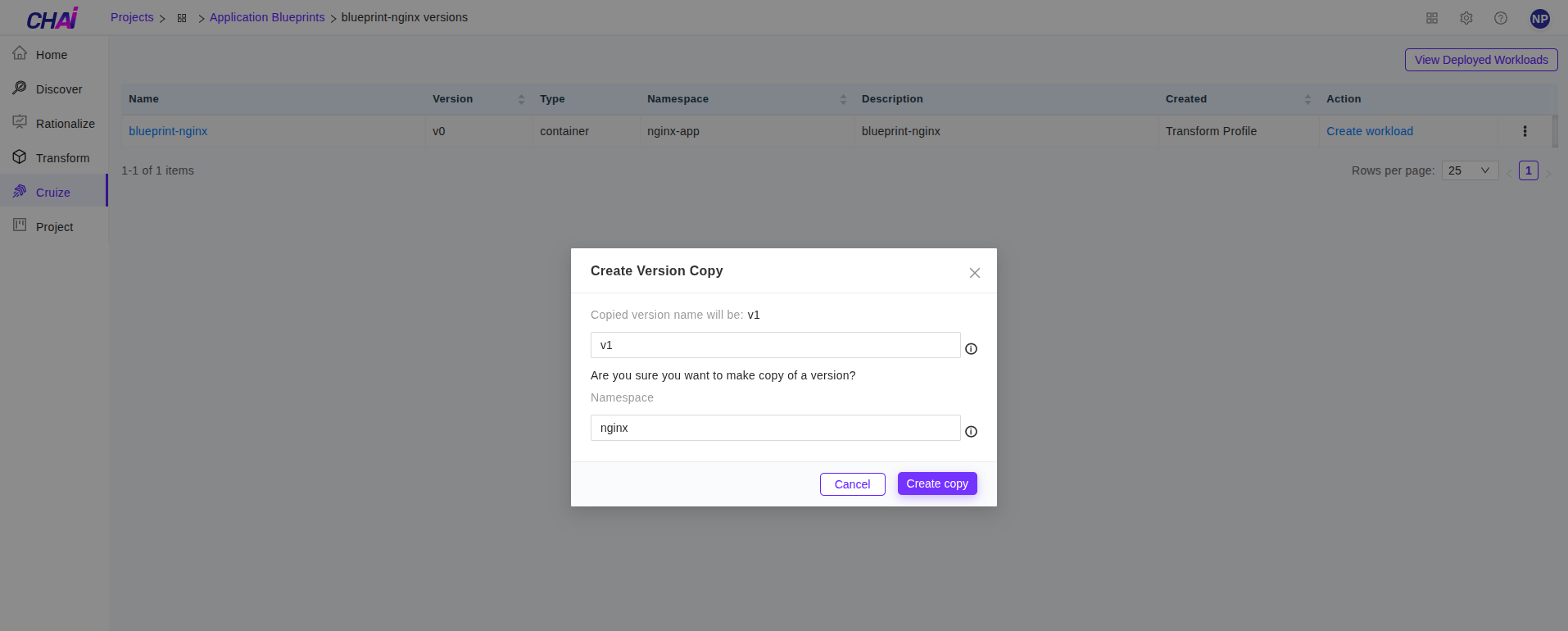
Select Create copy from the kebab menu. This will open a popup where you can enter the new copied blueprint name.
-
In the popup, provide the following details:
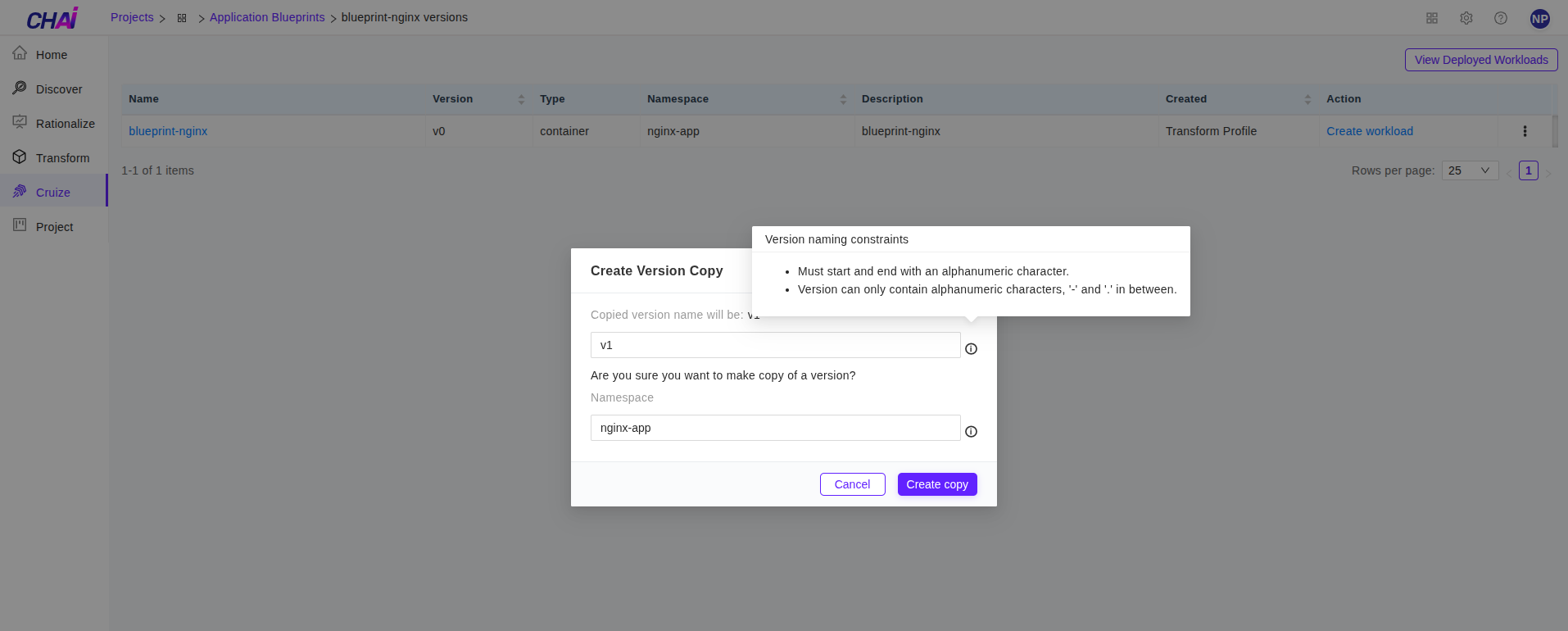
Copied Version Name
- By default, the version name field will contain a suggested name
- You can provide a user-defined name for the new copy
- Only alphanumeric characters or hyphens (-) are allowed
Namespace
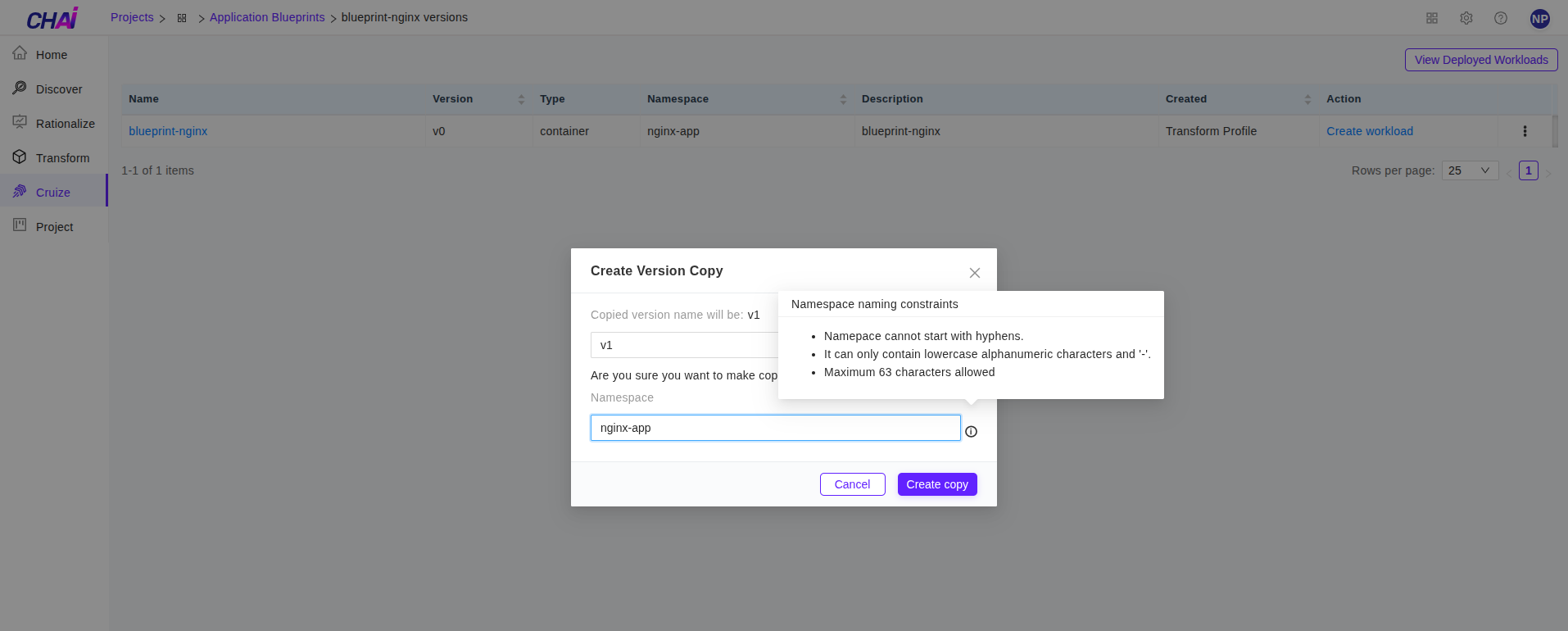
- By default, the namespace field will contain the blueprint namespace from which you are creating the copy
- You can also provide a different namespace
- Only lowercase alphanumeric characters or hyphens (-) are allowed
- Must start and end with an alphanumeric character
- Maximum 63 characters allowed
-
After providing the name and namespace, click the Create copy button to create the copy.
-
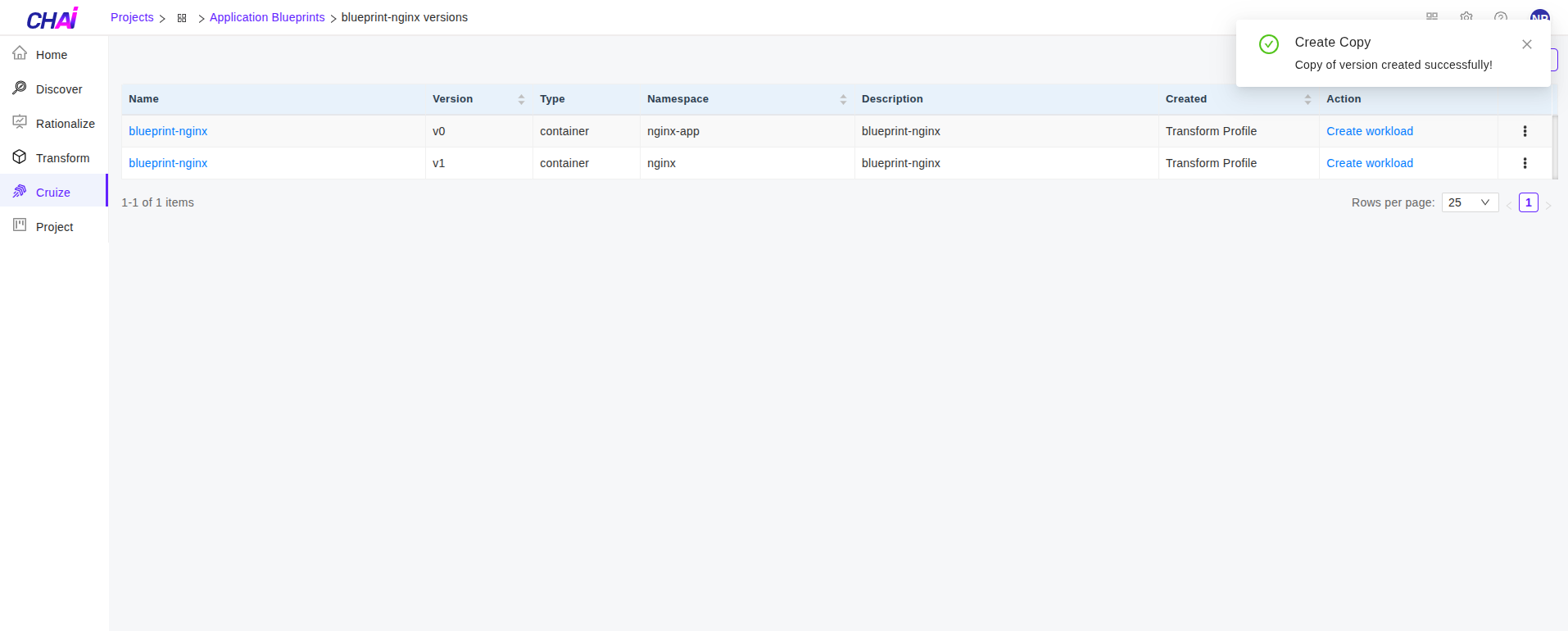
The copied blueprint version will be listed in the blueprint table as shown below.
Important Note:
You can create a maximum of 10 versions of application blueprints.
Delete Version
Versions can be deleted individually, or when deleting an application blueprint, all associated versions will be deleted automatically.
If the purpose of creating a version is fulfilled and the version is no longer required in the application blueprint configuration, it can be deleted.
Steps to Delete a Version
-
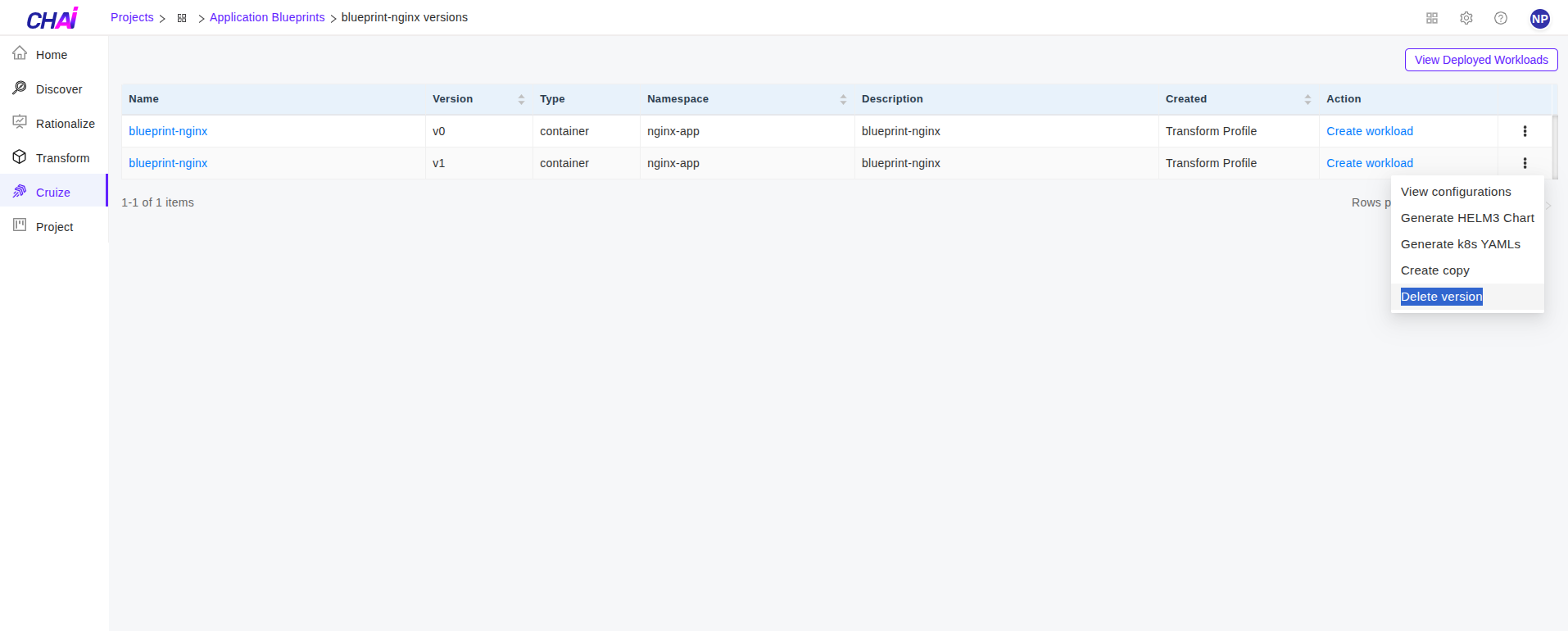
Click on the kebab menu (three-dot menu) of the blueprint version you want to delete.
-
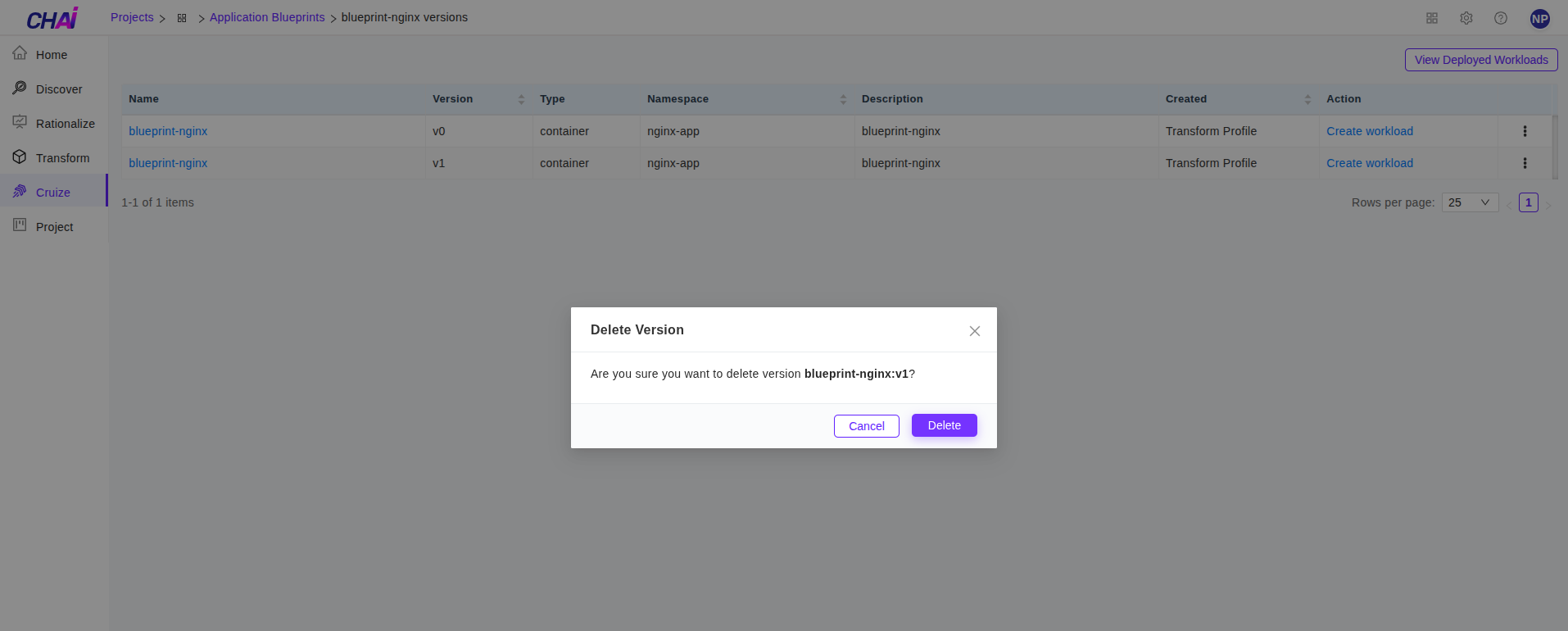
Select Delete version from the kebab menu. This will open a confirmation popup asking for confirmation.
-
Click the Delete button to delete the version.