Copy Blueprint
Create Copy
To create a copy of an existing blueprint:
-
Click on the kebab menu (three-dot menu) of the blueprint you want to copy.

-
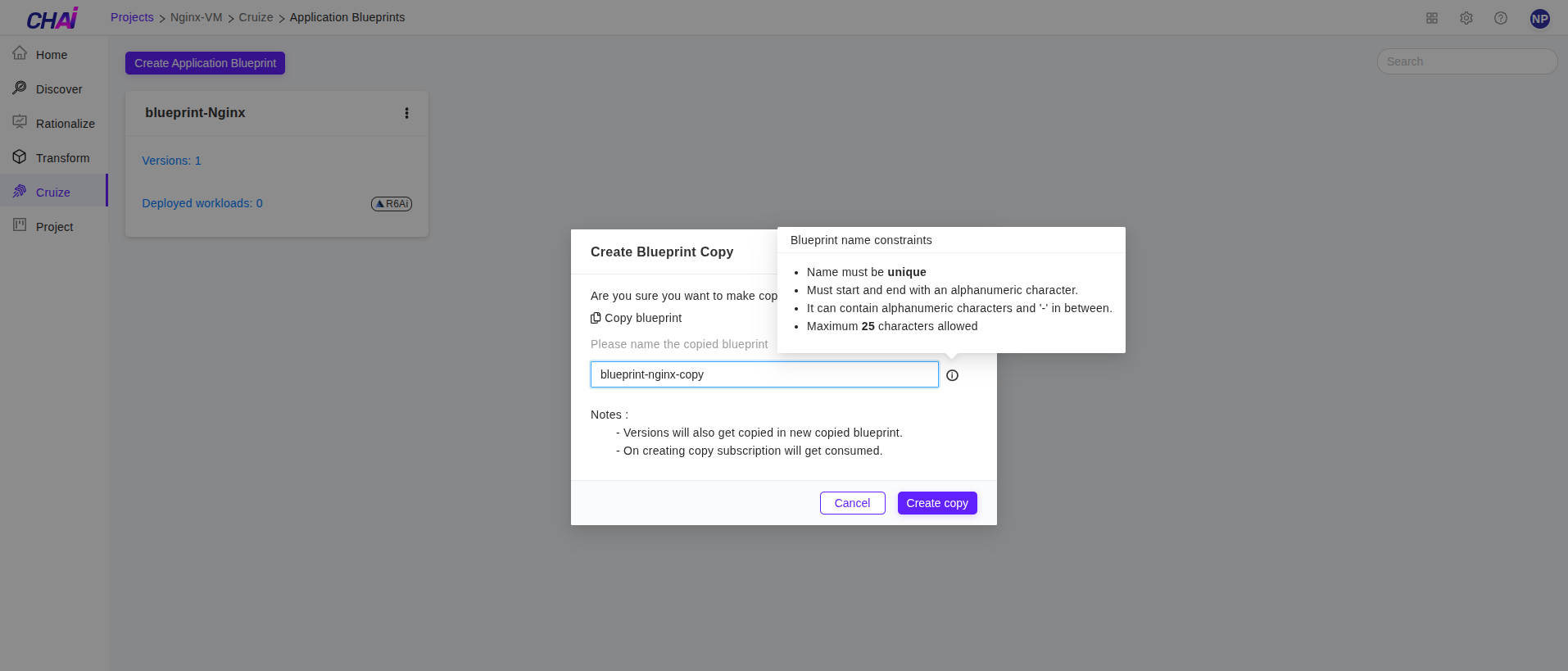
Select Create copy from the kebab menu. This will open a popup where you can enter the new blueprint name.
-
In the popup, enter a valid blueprint name following these requirements:
-
Only alphanumeric characters or hyphens (-) are allowed
- Must start and end with an alphanumeric character
- Maximum 25 characters allowed
-
Name must be unique
-
After providing the name, click the Create copy button to create the copy.
-
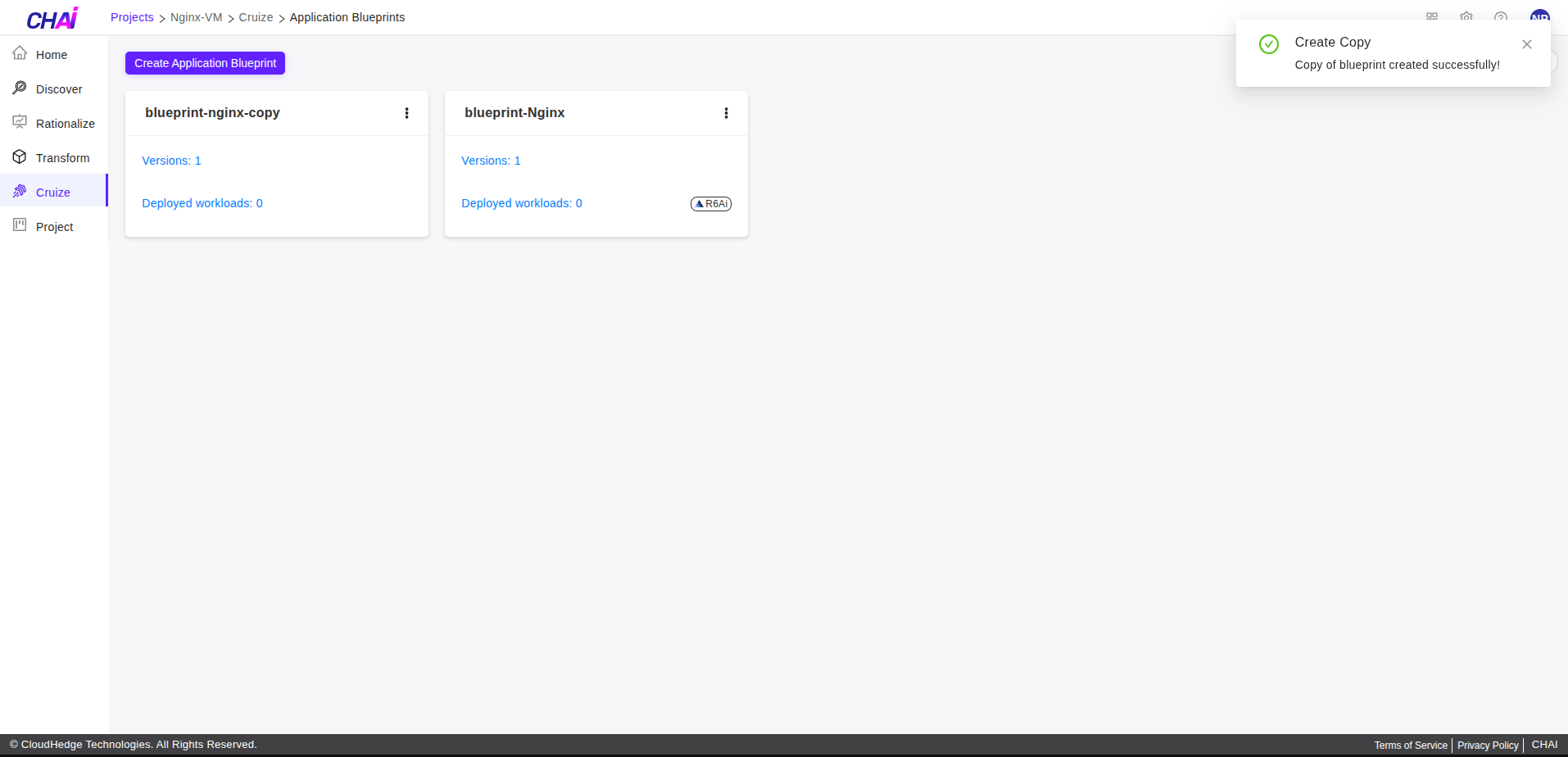
The copied blueprint will appear in the blueprint list as shown below.
Important Note:
For every copy of a blueprint, one Cruize subscription will be consumed.